Instagram Influencers: Clean Before You Share
Why influencers should remove metadata to protect their privacy. Learn how to clean photo metadata before posting to Instagram.
Why influencers should remove metadata to protect their privacy
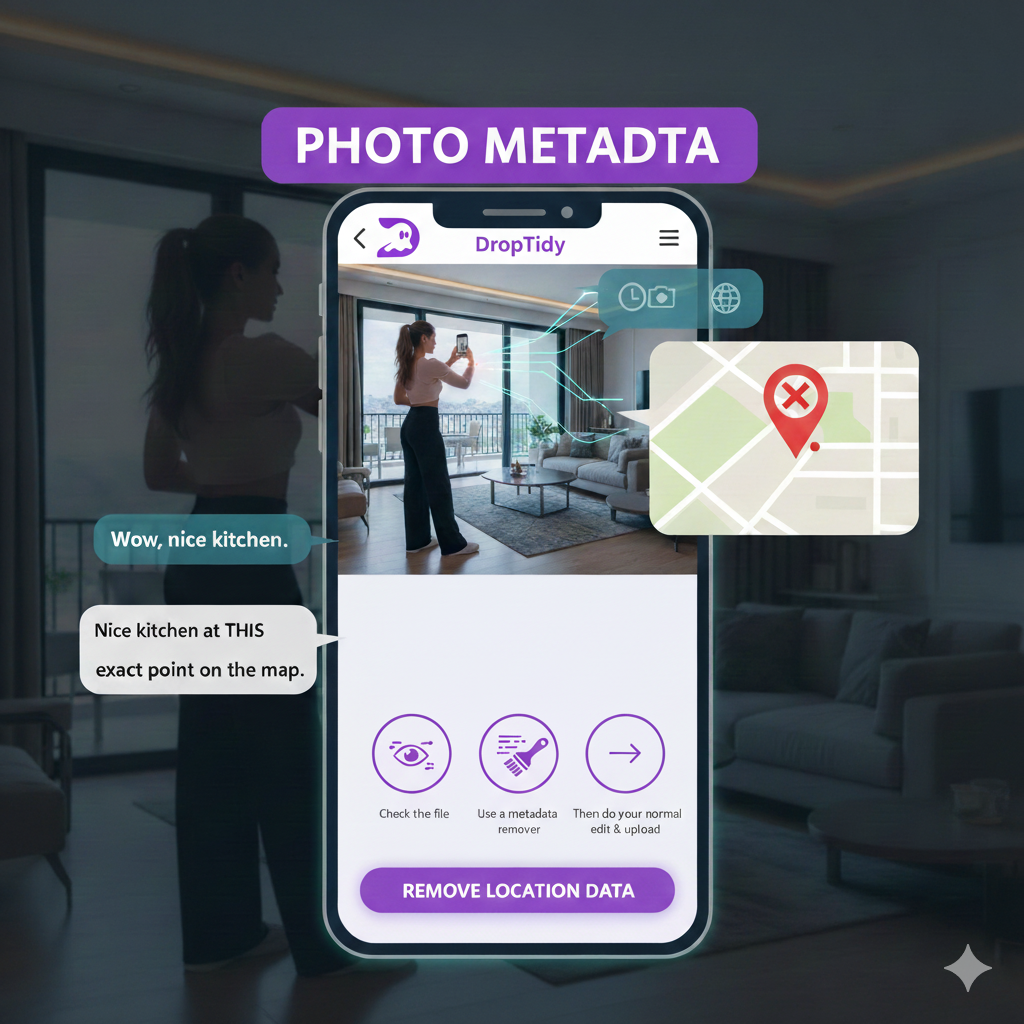
Ever posted the perfect listing reel… and later zistil, že si práve zdieľal aj mapu k svojmu domovu?
Behind every glossy property shot on Instagram, there's a quiet passenger: photo metadata – time, device, and often exact location data.
For real estate agents and influencers, that hidden image metadata can turn a dream feed into a metadata risk. The good news? A bit of metadata cleanup keeps your brand polished and your life private.
This post shows you why you should remove metadata from photos before posting, what's inside that data, and how to fix it in minutes.
Why influencers should care about hidden data
You work hard on your image. You choose the right filter, caption, audio trend.
But your photo may also carry:
- EXIF metadata (camera model, lens, exposure),
- location data (GPS coordinates of the property or your home),
- timestamps that reveal your habits.
For a fan, it's "Wow, nice kitchen." For the wrong person, it's "Nice kitchen at THIS exact point on the map."
That's not just a tech detail. It's your photo privacy, your client's safety, and your own routine exposed.
If you treat makeup, staging, and branding seriously, treat metadata privacy the same way. It's part of your professional hygiene.
What's actually inside your photo metadata?
Think of every photo as having a tiny digital fingerprint attached.
That fingerprint can include:
- when you took the photo,
- which phone or camera you used,
- sometimes the exact GPS coordinates,
- even hints about how often you shoot in the same place.
This is classic EXIF metadata.
On a listing account, that might reveal:
- where you store high-end equipment,
- where you live (if you shoot at home),
- patterns like "house is empty every weekday at 9:00".
Most followers never check. But the people you actually worry about? They know exactly where to look.
Real estate + Instagram = double exposure
Real estate agents are a special kind of influencer.
You don't just promote outfits. You promote places.
And you often:
- shoot inside real homes,
- tag neighborhoods and locations,
- post regularly at similar times.
Add geotagging on top of EXIF metadata and you get a very precise story:
- "This renovated loft is here."
- "This agent lives nearby."
- "This property is usually empty on weekday mornings."
Even if you try to hide the address in the caption, the underlying image metadata can bring it back.
That's why smart agents remove location data, strip EXIF data, and remove camera info before uploading. It's not paranoia. It's basic risk management.
The privacy risks you don't see (until it's too late)
Here's what can go wrong when you skip metadata removal:
-
Unwanted visitors A public reel with full GPS coordinates can show exactly where that luxury house is, and when it looks empty.
-
Linking your work to your home If you shoot content at home with EXIF intact, your "day off" stories can quietly leak your private address.
-
Stalking and harassment High-visibility influencers are juicy targets. Leaving GPS data in posts makes it easier to cross-reference and track movements.
-
Client trust issues Imagine a client finding out their property location was exposed through sloppy photo metadata. "Nice staging, but why is my address in a file you posted to 40,000 followers?"
One bad leak can burn trust you spent years building.
Simple workflow: clean before you post
Good news: you don't need to become a hacker.
You just need a quick metadata scrubber in your content workflow.
Here's a simple 3-step routine:
-
Check the file Before you upload, quickly view the image metadata (time, device, GPS). This reminds you what's at stake.
-
Use a metadata remover Run the photo through a tool like DropTidy – an online metadata remover focused on photo privacy. With a full in-browser cleanup, your images are cleaned locally in your browser, with no uploads to a server.
-
Then do your normal edit & upload Edit, add filters, write your caption, hit publish — now with secure photo sharing and safe photo upload as your default.
Total extra time? Maybe 10–20 seconds per batch. Total peace of mind? Much bigger.
Why "in-browser" matters for influencers
Many tools ask you to upload photos to a server for EXIF removal.
For private or unreleased content, that's another risk:
- more copies of your raw photos,
- more places where leaks can happen,
- more terms of service you don't fully read.
With full in-browser cleanup, the metadata remover runs inside your browser tab. Your images stay on your device. The tool deletes EXIF metadata, GPS coordinates, and other hidden tags right where you are.
You keep the aesthetic. You drop the trace.
"But I like tagging locations – isn't that the point?"
Good question.
You can still tag neighborhoods or city names in your caption or Instagram location. That's part of how you grow.
The key idea is control:
- You choose what to reveal in the caption.
- You choose when to reveal it (maybe after you've left).
- You avoid giving away exact coordinates through hidden location data.
Think of it like posting a café selfie after you've already paid and left, instead of live-streaming your table number. You keep the vibe, not the vulnerability.
Quick checklist for safer influencer posts
Before you hit "Share" on that next carousel, run through this fast check:
- Does this photo show a place I don't want strangers to find exactly?
- Did I remove metadata from images (especially GPS and timestamps)?
- Am I okay with this time and date being public?
- Did I use a trusted EXIF cleaner that doesn't upload my originals?
- Would I still post this if 1,000 total strangers saw it, not just my friendly followers?
If any answer feels wrong, fix the metadata first.
Your future self will thank you.
How DropTidy fits into your content routine
DropTidy is built for people like you:
- real estate agents who post daily,
- Instagram influencers who live on Stories and Reels,
- creators who want to protect photo privacy without killing their flow.
You open the site, drag your photos in, clean photo metadata, and download the safe versions. No account needed. No surprise uploads. Just quick camera data removal and metadata removal before your content goes live.
Then you do what you do best: Share the story, not the coordinates.
Conclusion: share the dream, not the data
Your audience wants to see beautiful homes, behind-the-scenes shots, and your real life. They don't need your exact address or shooting schedule.
By making metadata cleanup a tiny part of your workflow, you:
- protect yourself,
- protect your clients,
- and show you take metadata privacy seriously.
Next time you're about to post that perfect listing carousel, ask yourself:
"Am I sharing just the photo – or my whole life's map with it?"
If you're not sure, run it through DropTidy first.
Try DropTidy now and remove personal data from photos before your next post – so you can clean, share, and grow safely.
Try It Now
Ready to clean your travel pics? Visit DropTidy.com and drop in your files.
Have a metadata mishap or a favorite privacy tip for travelers? Leave a comment. Or just share your tip—and keep your location... only on the map, NOT in your metadata.
DropTidy: Made for creators who want clean photos and peace of mind.

Written by droptidy
DropTidy helps you protect your privacy by removing hidden metadata from your photos. Learn more about keeping your digital life secure.
Related Articles
Dating Profile Picture Safety: How to Hide Hidden Data in Your Photos
A quick guide for singles who don't want to share more than their smile
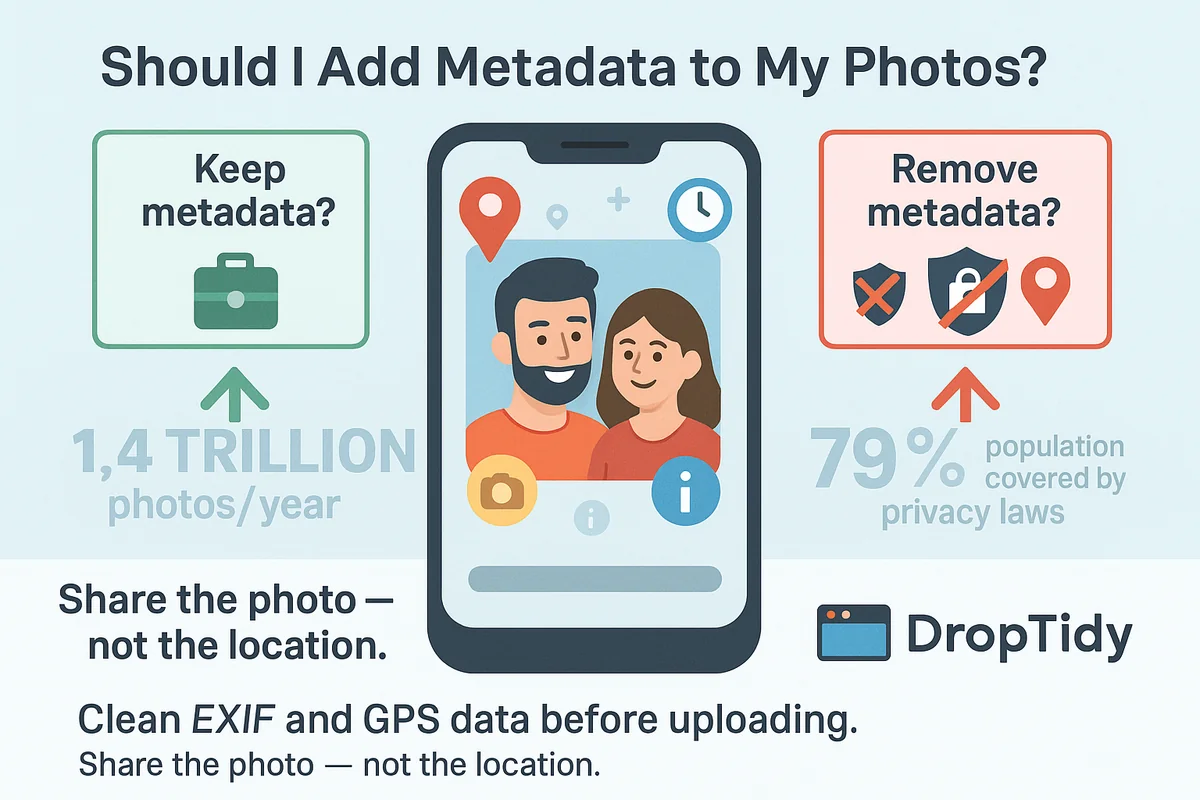
Should I Add Metadata to My Photos?
Learn about photo metadata risks and benefits. Discover when to keep metadata and when to remove it for privacy protection.
How to See the Metadata in a Photo
Ever posted a photo without a second thought? Learn what hidden data your images reveal and how to check and remove photo metadata on any device.